A self-hosted GitHub alternative: your own Git server, with push-to-deploy built in
Private repositories, pull requests, issues and CI on infrastructure you own — and the deploy target sitting on the same platform. Here is what a managed Gitea instance gives you, and what it does not do yet.
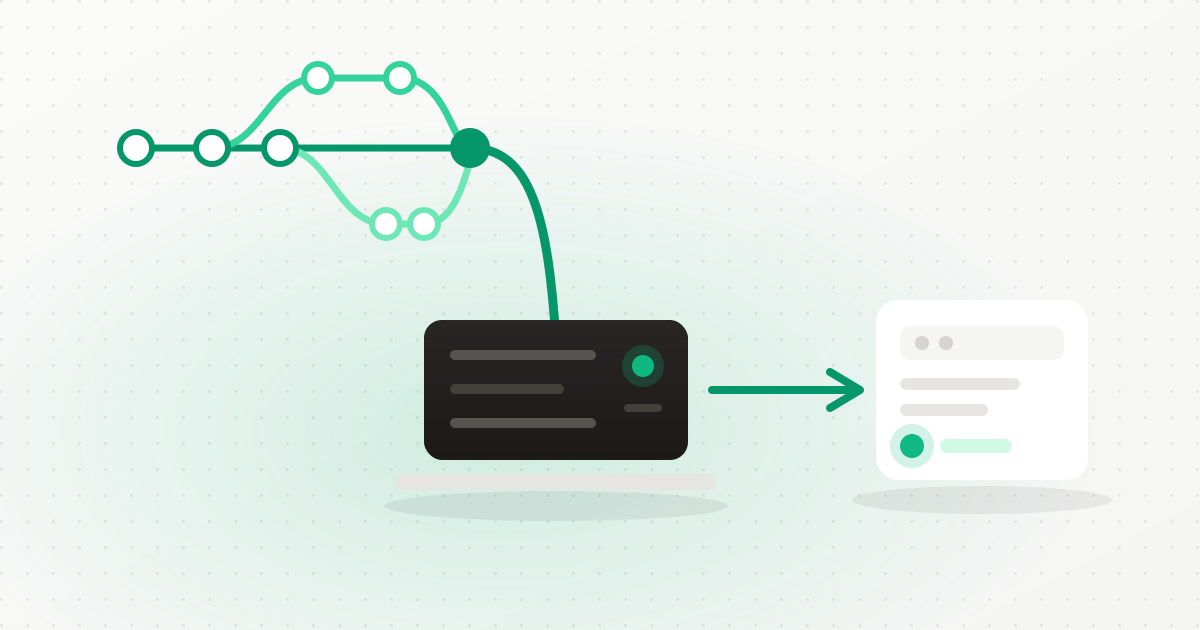
Most people looking for a self-hosted GitHub alternative are not annoyed with GitHub. They have a specific reason: a client contract that says the source stays in a particular country, an audit that asks who can read the repository, a bill that scales with seats for people who push twice a month, or simply a preference for the code and the servers it runs on being the same estate.
Gitea is the obvious answer. It is a small, fast, genuinely open-source Git platform with the things people actually mean when they say "a Git platform": a web UI, users and teams, pull requests, issues, code review, per-repository access control, tokens you can hand to CI, and Actions-compatible pipelines. It runs happily in a couple of hundred megabytes of memory.
And, like everything else in self-hosting, the software is the easy half.
What running your own Git server actually involves
The install is a container. The list of things that make it a Git platform rather than a container is longer:
- A domain and a certificate, because pushing over plain HTTP to a code host is not a thing you should do.
- Secrets that are not thrown away. Gitea's
SECRET_KEYandINTERNAL_TOKENdecrypt data it stores. Generate them into a shell script, lose the script, and you have a repository server whose stored credentials cannot be read back. - Storage that outlives the machine. The repositories and the database have to move together — separate them and a restore gives you either code with no metadata or metadata pointing at code that is gone.
- Registration closed. A Git server with open sign-up on the public internet acquires users you did not invite.
- Then the actual point: getting a push to result in a deployment, which means webhooks, a clone credential with the right scope, and something at the other end that knows how to build and restart.
How we deploy it
Gitea is installable from Repositories in the portal, onto any of your servers. What the install does:
It serves on your infrastructure domain
The instance is served at {your infrastructure domain}/_git/, so there is no
second DNS record to create and no second certificate to manage. The container is published on
loopback only — the infrastructure vhost is the sole way in — which means it is not exposed
directly to the internet even briefly. If a server has no infrastructure domain, the install is
refused, and the server picker says so before you choose it.
The secrets are minted into your vault
The admin password, SECRET_KEY and INTERNAL_TOKEN are generated
platform-side and stored in your secrets vault — sealed under OpenBao if your account runs an
instance. The platform API token is minted over HTTPS rather than scraped out of command output.
Removing the instance deletes the admin password and API token; if you kept the repositories, the
crypto keys are kept too, because they are what decrypt them.
Repositories and their database live together on block storage
Both go in one directory on a block volume, so moving them is one operation rather than two that have to be kept consistent. The install refuses to run on a network filesystem — SQLite over NFS is a corruption story — and warns if the database is not in WAL mode. Gitea is registered with the data migration engine, with a guarded cutover so the instance is never running in two places at once.
Sign-in that does not depend on us
There is one-click sign-in from the portal, using a token that is HMAC-signed, valid for sixty seconds, single-use, bound to that instance, and verified on the server. That last part matters: signing in to your Git server does not depend on our platform being reachable. The authentication header is stripped from every inbound client request, enforced at build time, so it cannot be forged from outside. And the ordinary username and password keep working as a fallback.
The part that makes it worth doing: push-to-deploy
A Git server that is separate from your infrastructure is just storage with a nice interface. The reason to put it on the same platform as your servers is what happens after the push.
- Create a repository from the portal, seeded with a README so it has a branch from the first second rather than being an empty repo nothing can clone.
- Deploy prefills from the repository list. Pick a repo, and the app creation wizard is filled in; the branch picker is populated from the Git server itself, and an empty repository is marked unselectable rather than failing later at clone time.
- The push webhook is registered for you when the app is created, idempotently, so pushing to the tracked branch triggers the deploy without you copying a URL and a secret between two screens.
- Deploys clone with a read-only token, separate from the token that manages the instance. A build agent does not need write access to your source.
- Gitea Actions has a ready-made CI snippet on the app's CI page, and there are direct links from the portal into branches, pull requests, issues and collaborators.
* Own the whole path from commit to running app
Create an account, install Gitea from Repositories, create a repo, and deploy it as an app — the webhook wires itself up. Start free →The limitations, stated plainly
These are real and they decide whether this suits you today.
- Everyone signs in as the same administrator. One-click sign-in lands on a
shared
gitadminaccount, so commit attribution, review approvals and the audit trail are all one identity. Per-user accounts via real single sign-on are not built yet. For a solo developer or a small team that is a nuisance; for a team that needs review provenance, it is a blocker. Individual Gitea accounts can be created inside the instance and used with username and password — it is the one-click path that is shared. - HTTPS cloning only. SSH cloning is not offered — a deliberate decision, not an oversight, but it does mean your existing SSH remotes and keys are not what you will use here.
- SQLite only. There is no MySQL or PostgreSQL option, because there is no supported conversion path once an instance exists. SQLite is entirely adequate at this scale; it is a limit worth knowing before you plan around it.
- Registration is disabled by default. Invite-only is the right default, and it means you add people deliberately.
Is Gitea a real replacement for GitHub?
For private repositories, pull requests, issues, code review, access control and CI — yes, and it is fast. What it is not is a public social network for code; discovery, stars and the open-source graph are the things you leave behind.
Can I migrate my existing repositories?
Yes. Gitea can pull a repository in from GitHub or GitLab including issues, or you can push an existing clone to a new remote — Git history is portable by design.
What happens to my code if I remove the instance?
The repositories are kept unless you explicitly ask for the data to be purged, and the encryption keys that read them are kept alongside.
Do I need a separate server for it?
No. It runs alongside other workloads and needs modest memory, though putting it on a server with a block volume matters more than the machine size.
Does push-to-deploy work with GitHub or GitLab too?
Yes. Apps can deploy from any Git URL with a credential, and signed push webhooks are supported for GitHub, GitLab and Gitea. Hosting your own Git server is an option, not a requirement.
The short version
Self-hosting your Git server is worth it when the code and the infrastructure belong to the same estate — when a push should result in something running, and when "who can read this repository" should have an answer you control rather than an answer you accept.
The work that stops most people is the certificate, the secrets, the storage layout and the webhook plumbing between the repository and the deploy target. That is exactly what the install does for you. Create an account, install Gitea, and push to deploy.
Keep reading
Ready to simplify your hosting?
Deploy your first server in 90 seconds. All features included.
Start free