What size VPS do I need? Answer the workload question first
A price-sorted list of vCPU, RAM and disk triples cannot tell you which one is right, because the right answer depends entirely on what the machine is for. Here is how to size a server properly.
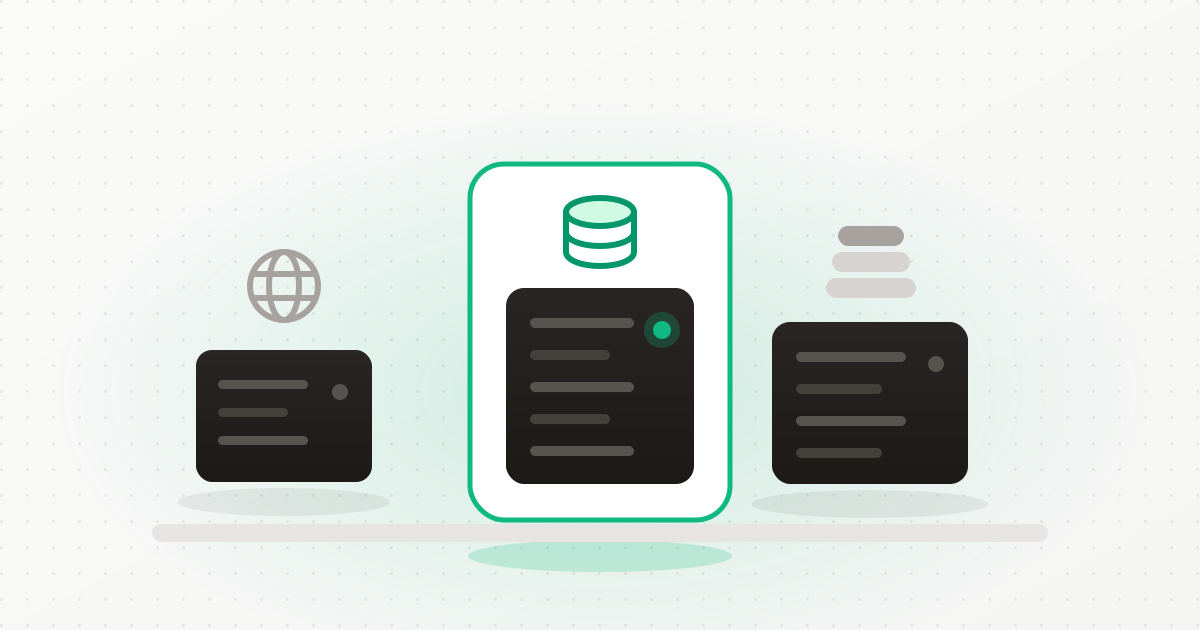
Order a server anywhere and you get the same screen: a list of machines sorted by price, each one a triple of vCPU, RAM and disk. Somewhere in that list is the right answer, and the page gives you nothing at all to find it with. So most people take the cheapest one that does not look obviously silly, and find out whether it was right some weeks later, under load, at an inconvenient hour.
The reason the list cannot help is that the sizing question has no answer until you say what the machine is for. A database, a file server and a game server with identical price tags are three different purchases. Sorting them by price implies they are comparable.
Workloads are bound by different things
Almost every workload has one resource it runs out of first. Size for that, and the others follow.
Memory-bound: databases, caches, search
A database is fast when its working set fits in memory and slow the moment it does not — and the fall-off is a cliff, not a slope. Adding cores to a database that is swapping does nothing. PostgreSQL, MySQL, MongoDB, Redis, Elasticsearch: buy RAM, then disk, then cores.
Disk-bound: file servers, media, backups
A file or media server needs a modest amount of memory and an amount of disk that has nothing to do with the server size at all. This is why block storage matters more than the machine here: the volume can be sized and resized independently, and it survives the server being rebuilt.
CPU and memory together: game servers, build agents, transcoding
Game servers are the awkward case — they need real single-thread performance and enough memory for the world state, and they degrade in a way players notice immediately. This is the one workload where being one size too small is obvious within minutes.
Modest but numerous: web and application servers
A PHP or Node application in front of a database is usually the least demanding thing on the list — until you add a build step, a queue worker and an image processor to the same box. Web servers fail by accumulation rather than by one heavy workload.
Small and specific: mail
A mail server needs less than people expect and a very specific set of ports, DNS records and storage guarantees. It is not sized like a web server even though it looks like one.
How our order form asks the question
We rebuilt the order flow around this, because our old one had the same flaw as everyone else's: it asked for a machine before it asked what the machine was for, and deferred the software question to a page you had not seen yet.
Now the first question is the use case: web, application, database, file, game, email or general. That single choice then does the work:
- Every machine is annotated Recommended, Workable or Undersized — with the reason. Not a badge. The actual sentence explaining why 1 GB is the wrong purchase for a database.
- The list is ranked by the workload's bound, not by "bigger is better" and not by price alone. A disk-bound workload ranks differently from a memory-bound one.
- The best match is preselected — defined as the cheapest machine that actually meets the recommendation, so the default is neither the cheapest nor an upsell.
- Block storage is preset sensibly: 250 GB for a file server, 100 GB for a database, 500 GB for a media server. All of it adjustable.
- The software is chosen at order time, not afterwards. The use case presets what gets installed during priming, and every item can be unticked before you order.
- The database engines follow the use case. Previously every server got a MySQL whether or not anything would ever connect to it — a running container and a root credential to manage, on a file server with no use for either — while a server ordered for PostgreSQL got MySQL and had to install Postgres by hand. Now what runs after priming is what the workload actually needs.
If you are automating, the same catalogue is available over the API at
GET /orders/flavors, with the sizing rules, software list and database engines for
each use case.
* Let the workload pick the machine
Create an account and start an order. Choose the use case first — the sizing, the storage and the software follow, and every machine tells you whether it fits and why. Start free →Rules of thumb, if you want them
- Undersizing memory is expensive; oversizing it is merely wasteful. A machine that swaps is not slightly slower, it is unusable. Round memory up.
- Put data on a volume, not on the boot disk. Then the machine size is a performance decision instead of a permanent one, and resizing is not a migration.
- Do not co-locate a database with the thing that spikes. The build, the import or the image resize will take memory from the engine at exactly the wrong time.
- Start one size up from your estimate for anything customer-facing, and one size down for anything you can restart at 2am without anyone noticing.
- Region is not a sizing decision. Our price does not vary by region, so choose where your users and your data-residency obligations are.
What is not built yet
The use case is applied at order time. You cannot currently apply a use case to a server you already own — the sizing guidance, the software presets and the engine selection all happen during provisioning. Resizing an existing server to a different SKU is supported; re-flavouring it is not.
How much RAM does a small WordPress site need?
One low-traffic site with its database on the same box runs comfortably in 2 GB. Add caching, a second site, or a plugin that does image processing, and 4 GB stops being optional.
How much RAM does a database server need?
Enough to hold the working set — the indexes and the rows you actually query — not the whole database. Start at 4 GB for a modest application database and go up with the data.
Is more vCPU always better?
No. For a database or a file server, cores are usually the resource you have spare. For a game server or a build agent, single-thread speed matters more than core count.
Can I resize later?
You can upgrade the server SKU, and if your data is on a block volume, growing storage is independent of the machine. That is the main argument for putting data on a volume from day one.
Does the region affect the price?
Not with us. One price per server size everywhere, so the region choice is about latency and data residency rather than budget.
The short version
"What size VPS do I need" is unanswerable as asked, and every order form that presents a price-sorted list is quietly pretending otherwise. Say what the machine is for, and the sizing question answers itself — memory for databases, disk for files, cores and memory together for games, and not very much at all for a small web app.
Create an account, pick the use case, and let the form tell you which machines fit and why.
Keep reading
Ready to simplify your hosting?
Deploy your first server in 90 seconds. All features included.
Start free